
How to Make Slideshows of Facebook Photos on iPhone
It is very easy to share your photos on Facebook with your family and friends. Just tell them your Facebook profile name or Facebook profile URL and they can view all your photos by clicking the "Photos" tab, so long as your album is public. However, there’s an even easier way if you are an iPhone fan. The free iPhone app named Slideshow+ can help you easily make slideshows of your Facebook photos and share them with your family and friends on iPhone or even on a big HDTV. Besides, you will have more control over the photos, like adding intro texts, applying transitions and themes, specifying photo duration, etc. More importantly, you can choose which photos to show and which not.
Now let’s begin the creative project.
Step 1. Download Slideshow+ Free from App store
Here is the iTunes link: http://itunes.apple.com/app/id467566054. Or you can search this app in the store by its name - Slideshow+.
Step 2. Launch the app, create a new project and add photos from Facebook
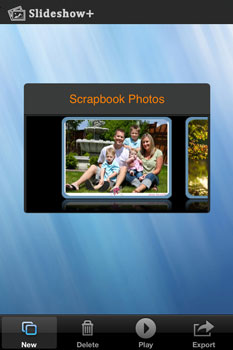
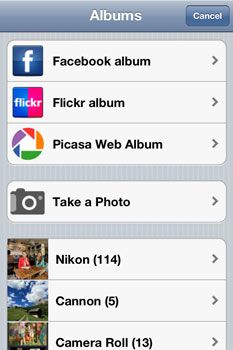
Launch the app on your iPhone. Click the "New" button to create a new project. Then you can begin your slideshow. Click the "Photo" button on the lower left corner of the interface to go to "Albums", where you can choose to add photos from Facebook Album, Flick Album, Picasa Web Album, iPhone Camera Roll or photo folders in your iPhone. Here you just choose Facebook Album, log in to your facebook account then add the photos.
Step 3. Add background music to slideshow
Click the "Music" button at the bottom of the interface. Choose your favorite songs from the music album in your iPhone.
Step 4. Choose background theme and set the transition time
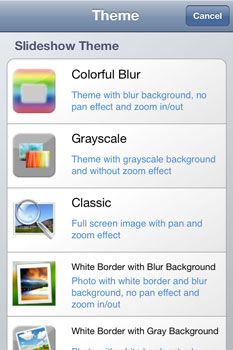
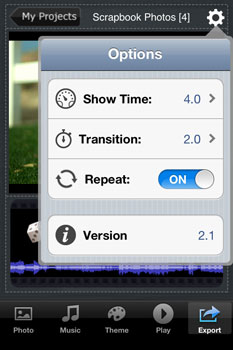
Go to the "Theme" tab then you can find some colorful and beautiful themes there. You can also click any of the photos to edit it. Meanwhile you can click the "Settings" tab at the top right of the interface to adjust the transition time for slideshow presentations.
Step 5. Export the slideshow to HDTV
Click the "Export" button on lower right corner to start to stream the slideshow to HDTV.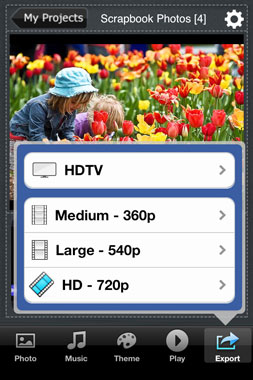
0 comentarios